

Key Takeaways
- Firewall as a Service can centralize policy enforcement for users, offices, cloud workloads, and remote devices.
- A suitable service should match the organization’s traffic patterns, identity systems, compliance obligations, and support capacity.
- Successful deployments begin with clear policies, a limited pilot, performance testing, and documented ownership.
- Cloud delivery does not remove the need for monitoring, patching, incident response, and regular rule reviews.
- Latency, privacy, service availability, and provider support should be evaluated before a full rollout.
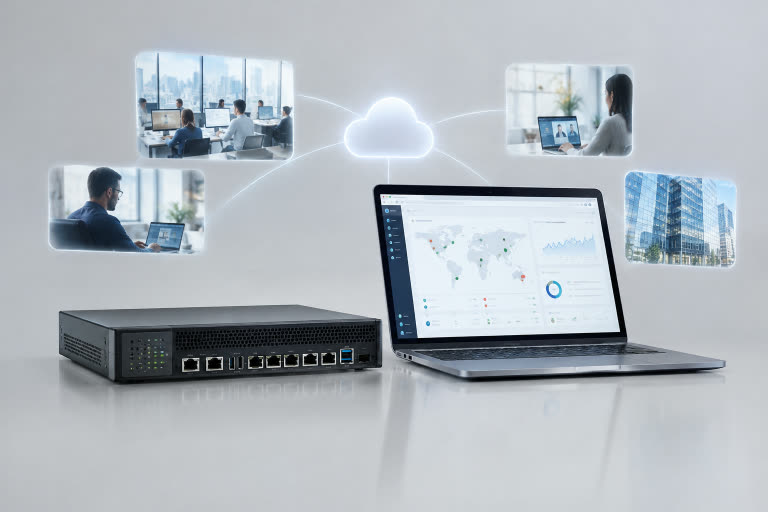
Distributed organizations need security controls that follow users, applications, and data beyond a single office network. A well-planned FWaaS deployment can help apply firewall policies across branch locations, remote workers, cloud services, and private environments through a centrally managed service.
That does not mean every company should replace its existing network security tools. The right design depends on where traffic flows, which applications are business-critical, how much control the IT team requires, and whether local systems need protection even when internet connectivity is disrupted.
Why Distributed Teams Need a Different Firewall Plan
Work now happens across home networks, branch offices, mobile devices, software-as-a-service applications, public cloud platforms, and private systems. A firewall placed only at a headquarters data center may not inspect traffic that travels directly from a remote employee to a cloud application.
Consider a company with sales staff working remotely, a few regional offices, and finance software hosted in the cloud. If every location uses different rules and separate management tools, administrators can struggle to see what is permitted, where an issue began, or whether the same protection is applied consistently.
What Firewall as a Service Means
Firewall as a Service is a cloud-delivered model for inspecting traffic and enforcing security rules without requiring every site to operate a separately managed firewall appliance. Traffic is directed through the service, evaluated against policy, allowed or blocked, and recorded for operational or security review. This cloud-based firewall approach may also include application controls, intrusion prevention, logging, and centralized policy management.
How the Model Differs From a Traditional Firewall
Traditional firewalls are commonly installed as physical or virtual appliances that an organization operates at a site or within a cloud network. Firewall as a Service moves more of the inspection and policy infrastructure into a provider-managed cloud platform.
- Deployment: Appliance-based systems require local installation and lifecycle management, whereas cloud services are generally provisioned via connectivity, routing, and policy configuration.
- Scaling: A cloud service may make it easier to expand coverage as users, locations, or workloads change.
- Maintenance: The provider manages the underlying service infrastructure, but the customer still owns security policy decisions and operational oversight.
- Local needs: On-site firewalls can remain appropriate for isolated locations, delay-sensitive systems, or environments that require direct local control.
Core Features to Review
A service should be evaluated by how its features support the organization’s actual risk and operational needs, not simply by the length of its feature list.
- Central policy management: Enables administrators to apply and update consistent rules across users, sites, and workloads.
- Application awareness: Helps control traffic based on the application in use rather than only on port numbers or IP addresses.
- Identity-based controls: Connects access decisions to users, groups, roles, devices, or authentication status.
- Intrusion prevention and threat intelligence: Can identify suspicious patterns and block known malicious destinations or activity.
- Detailed logging: Supports investigations, audit preparation, troubleshooting, and trend analysis.
- High availability: Addresses how service interruptions, connection failures, and regional problems are handled.
- Traffic inspection: Should be configured with attention to privacy requirements, application compatibility, and performance.
Benefits for Security and Operations
Centralized controls can reduce policy drift, which occurs when different locations gradually accumulate inconsistent firewall rules. A shared view of traffic and alerts can also make it easier for security and network teams to investigate unusual activity without having to collect information from multiple appliances.
For smaller IT teams, provider-managed infrastructure can reduce the workload of replacing hardware and maintaining separate devices across multiple sites. Capacity can also be adjusted as the organization changes. However, the financial review should include recurring service fees, internet connectivity, data-routing costs, implementation time, and dependence on the provider’s platform.
Risks and Limits to Consider
- Internet dependence: Users and sites must be able to reach the service access points for the intended protections to apply.
- Latency: Poor routing or overly aggressive inspection can affect voice, video, databases, and other time-sensitive applications.
- Policy complexity: A central console does not solve unclear ownership, outdated rules, or undocumented exceptions.
- Data privacy: Teams should understand where traffic is inspected, processed, and retained.
- Provider outages: The service design should explain failover behavior, maintenance procedures, and regional resilience.
How to Choose a Suitable Service
- Identify the users, offices, devices, applications, and cloud workloads that need protection.
- Measure normal and peak traffic volumes, including encrypted traffic that may require inspection.
- Confirm support for remote users, branches, private environments, and public cloud services.
- Check whether policies can use identity, device status, application, location, and risk context.
- Review how logs, alerts, reports, integrations, and support requests are handled.
- Ask how maintenance, upgrades, failover, and incident escalation work in practice.
A Five-Step Rollout Plan
- Map the environment: List devices, users, sites, applications, connections, and existing security tools.
- Set policy goals: Define what must be allowed, blocked, inspected, logged, or reviewed.
- Run a small pilot: Start with one office, a limited user group, or a low-risk workload.
- Measure performance: Track latency, failed connections, throughput, false positives, and user feedback.
- Document and review: Record rule owners, exceptions, testing results, escalation paths, and review dates.
How to Keep the Service Effective
Firewall policy requires continuing attention. Review rules on a defined schedule, remove unused accounts and exceptions, test failover procedures, and ensure important logs reach a monitored system. Teams should also promptly review vulnerability notices, including the known exploited vulnerabilities catalog, when prioritizing patching and response work.
Common Questions From IT Leaders
Is Firewall as a Service Only for Large Companies?
No. Smaller organizations may benefit from reduced hardware administration, but they still need to assess cost, traffic demands, support expectations, and regulatory requirements.
Can It Replace Every On-Site Firewall?
Not always. Some sites need local filtering, private connectivity, or protection for systems that cannot rely entirely on an external service. A hybrid design can be more practical.
Does It Protect Endpoints by Itself?
No. A firewall is one layer of defense. It should work alongside endpoint protection, identity controls, backups, patch management, email security, and security awareness practices.
Will It Slow Down Applications?
It can if routing is inefficient or inspection settings are poorly matched to application requirements. Testing should include latency, throughput, and real user workflows before broad deployment.
Conclusion
Firewall as a Service gives distributed teams a flexible way to apply network security across people, locations, and cloud environments. Its value comes from disciplined implementation, not from cloud delivery alone. Clear policies, strong identity controls, tested routing, regular monitoring, and documented response procedures remain essential to an effective firewall strategy in 2026.